Now Reading: Gemini App for Mac: Google’s AI Assistant Is Now a Shortcut
- 01
Gemini App for Mac: Google’s AI Assistant Is Now a Shortcut
Gemini App for Mac: Google’s AI Assistant Is Now a Shortcut
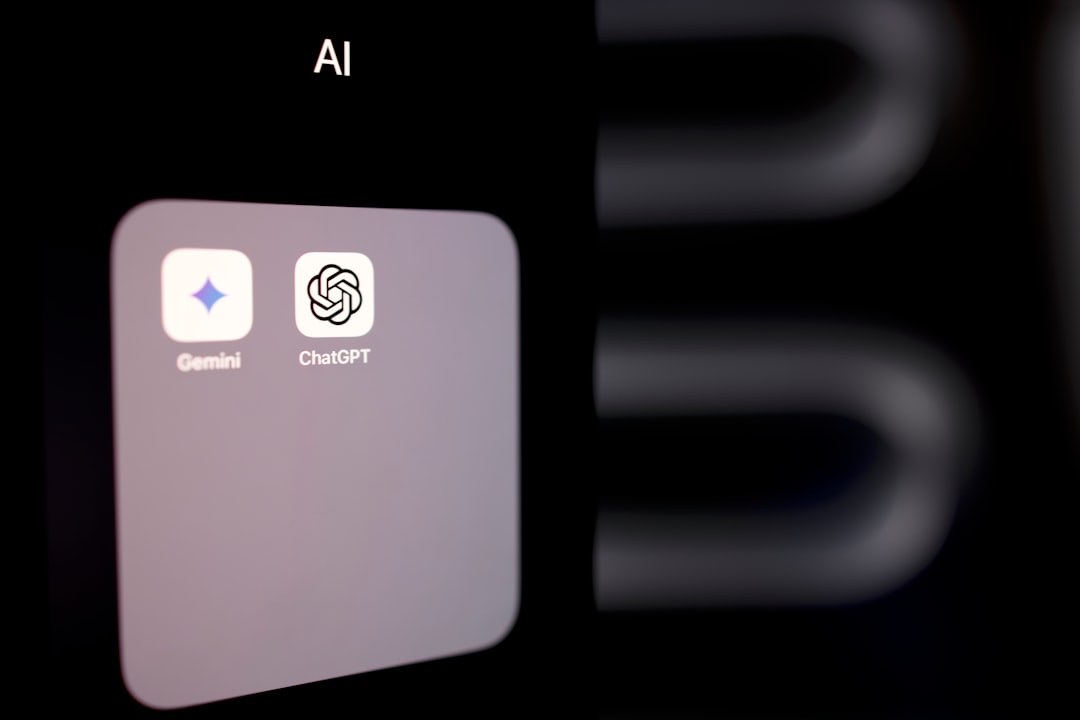
Google has launched a native Gemini app for Mac, letting users summon its AI assistant instantly with the Option + Space keyboard shortcut. The move intensifies the race for desktop AI dominance against ChatGPT, Apple Intelligence, and Microsoft Copilot.
Google Brings Gemini to Mac With an Instant Keyboard Shortcut
Google has made its Gemini AI assistant available as a native Mac application, and the most talked-about feature might be the simplest one: a keyboard shortcut. By pressing Option + Space, Mac users can now summon Gemini instantly from anywhere on their desktop — no browser tab required, no dock searching, no friction. It’s right there whenever you need it.
The move signals Google’s aggressive push to embed its AI tools directly into users’ daily workflows, taking the fight to Apple’s own Siri and the rapidly expanding ecosystem of desktop AI assistants. And the tech community has taken notice, with active discussion already unfolding across developer forums and social platforms about the implications of this launch.
What Exactly Happened
Google released a dedicated Gemini application for macOS that operates as a lightweight, always-accessible AI assistant. Rather than requiring users to navigate to gemini.google.com in a browser, the desktop app sits quietly in the background, ready to be activated with a two-key combination.
The Option + Space shortcut is deliberately designed to feel native to the Mac experience. It mirrors the kind of system-level keyboard shortcuts that power users rely on — think Spotlight (Command + Space) or Alfred. The choice of this specific key combination places Gemini in the same mental space as these essential productivity tools.
Once activated, the app provides the full range of Gemini capabilities: natural language conversation, code generation, document analysis, image understanding, and integration with Google Workspace tools like Gmail, Docs, and Drive. It’s essentially a command center for Google’s most advanced AI models, packaged in a clean macOS interface.
Why This Matters More Than You Think
At first glance, a keyboard shortcut might seem like a minor detail. But in the world of AI adoption, reducing friction is everything. The difference between opening a browser, navigating to a URL, and typing a query versus simply pressing two keys is enormous when measured across thousands of daily interactions.
Consider these implications:
- Habit formation: The easier an AI tool is to access, the more frequently people use it. A system-level shortcut trains muscle memory in a way that browser bookmarks never will.
- Direct competition with Spotlight and Siri: Apple’s own AI assistant requires a similar shortcut. Google is now competing for the same reflexive behavior — when users have a question, which key combination do they reach for first?
- Desktop AI becomes the norm: This launch further normalizes the idea that AI assistants should live at the operating system level, not behind a browser tab.
- Workspace integration deepens: For the millions of businesses using Google Workspace, having Gemini one shortcut away from any application creates a powerful productivity loop.
If you’ve been exploring how artificial intelligence is reshaping productivity software, our overview of Canva AI 2.0: The Creative Platform’s Boldest Update Yet covers additional options worth considering alongside Gemini.
The Competitive Landscape: A Crowded Desktop
Google isn’t operating in a vacuum. The race to own the desktop AI experience has intensified dramatically throughout 2024 and into 2025.
OpenAI launched its ChatGPT desktop app for Mac months ago, offering a similar always-on experience with its own keyboard shortcut. Microsoft has embedded Copilot deeply into Windows. And Apple has been steadily expanding its Apple Intelligence features across macOS, integrating Siri with on-device language models.
What makes Gemini’s approach distinctive is Google’s unmatched data ecosystem. No other AI assistant can natively search your Gmail, summarize your Google Docs, and pull context from your Google Calendar in a single interaction. That integration is the real competitive moat — the keyboard shortcut is just the door.
Background: Gemini’s Rapid Evolution
For those who haven’t been tracking Google’s AI trajectory closely, the Gemini brand has undergone significant transformation. Originally launched as Bard in early 2023, Google rebranded its conversational AI as Gemini in February 2024, aligning it with the company’s most capable family of large language models.
Since then, Gemini has expanded from a simple chatbot into a multimodal AI platform capable of processing text, images, audio, and video. The model family includes Gemini Ultra, Pro, and Flash variants optimized for different use cases — from complex reasoning to rapid, lightweight responses.
The Mac app represents the latest step in Google’s strategy to make Gemini ubiquitous across every surface: mobile (Android and iOS apps), web, and now desktop. Each expansion reduces the option of ignoring Google’s AI entirely, which is precisely the point.
What the Community Is Saying
The discussion around Gemini’s Mac debut has been lively and, notably, more positive than many Google product launches. Developers and power users have highlighted several themes in early reactions:
- Speed is impressive. Multiple users report that the app launches near-instantaneously when triggered, with minimal latency before responses begin streaming.
- The shortcut choice is smart but potentially conflicting. Some users note that Option + Space is already used by third-party apps like certain window managers, raising questions about customization options.
- Google Workspace users see the biggest gains. Professionals embedded in Google’s ecosystem are finding the deepest value, particularly in email summarization and document drafting workflows.
- Privacy questions persist. As with any always-available AI tool, some users have raised concerns about background processes, data collection, and whether queries are used to train future models.
For a deeper look at how Google’s AI strategy compares to competitors, check out our analysis of Claude AI: A Deep Dive Into Anthropic’s Powerful Assistant.
What Comes Next
The Mac app is almost certainly just the beginning of Google’s desktop ambitions. Several developments seem likely in the near term:
A Windows version is inevitable. Google would be leaving the vast majority of desktop users behind if it didn’t bring Gemini to Windows. Expect an announcement within the coming months, likely positioned as a direct Copilot competitor.
Deeper OS-level integrations are coming. Right now, Gemini operates as a standalone app. Future iterations could hook into macOS features like Finder, Quick Actions, and system notifications — assuming Apple allows that level of access.
Agentic capabilities will expand. Google has been vocal about moving Gemini from a conversational assistant to an agent that can take actions on your behalf. A desktop app is the ideal platform for this evolution, enabling file management, application control, and automated workflows.
Enterprise tiers will differentiate. Expect Google to use the desktop app as a funnel toward paid Gemini Advanced and Workspace subscriptions, gating premium features like longer context windows and advanced document analysis behind subscription tiers.
The Bottom Line
Google’s Gemini app for Mac transforms a powerful AI assistant from something you visit into something that’s simply there — always accessible, always ready. The Option + Space shortcut might sound trivial, but it represents a fundamental shift in how we interact with AI: not as a destination, but as an ambient layer of intelligence woven into our computing environment.
For Mac users already invested in Google’s ecosystem, there’s little reason not to install it. For everyone else, it’s a compelling preview of where desktop computing is headed — a future where AI isn’t an app you open, but a reflex you trigger.
Previous Post
Next Post
Advertisement